If you are an employee in Germany, you get a flat-rate work-related-expenses allowance ("Werbungskostenpauschale") of 1,230 Euro per year in 2026 (see Section 9a Income Tax Act (EStG)). If you spent more than that, you get a proportional refund. Retirees also file a tax return every year and can deduct quite a bit: healthcare costs, glasses, hearing aids, dental work, home-care services, tradesmen invoices, household-related services like cleaning or gardening. The self-employed enter every business expense anyway. In all three cases the rule is the same: only with proof. The most important proof is the receipt. And that is where most people fail.
Thermal paper fades. Receipts go missing. Drawers turn into receipt graveyards. In April you sit in front of a stack of unreadable slips and push the tax return into May. Or June. Or never.
I was one of those people. At my last German tax appointment in April 2021, just before my move to Switzerland, there was a pile of over 100 receipts on the desk. Some of them were already unreadable. Three of those faded receipts would have been enough to push me past the flat-rate allowance. I did not submit them. That cost me around 180 Euro in refund.
Shortly after I moved to Switzerland. I have been living here since 2021, but I am writing this post for readers in Germany: the allowance logic and the receipt-graveyard pain are things I went through myself, and I keep them current through my work and my product wimm.cash.
A very good friend of mine has been keeping a household ledger in Excel for over 20 years. Every day he opens the spreadsheet and enters the receipts he received that day. No catch-up entries, no weekend marathons. I have always admired him for it. That is discipline and persistence I myself never managed to muster. And it is not pointless: finance experts across all schools recommend keeping a household ledger, because only with consistent recording do you see where your money actually goes.
I always wanted that too. I never managed it consistently, because the daily Excel effort was too high for me. This gap between "would be good" and "I don't actually do it" is the reason I am building wimm.cash.
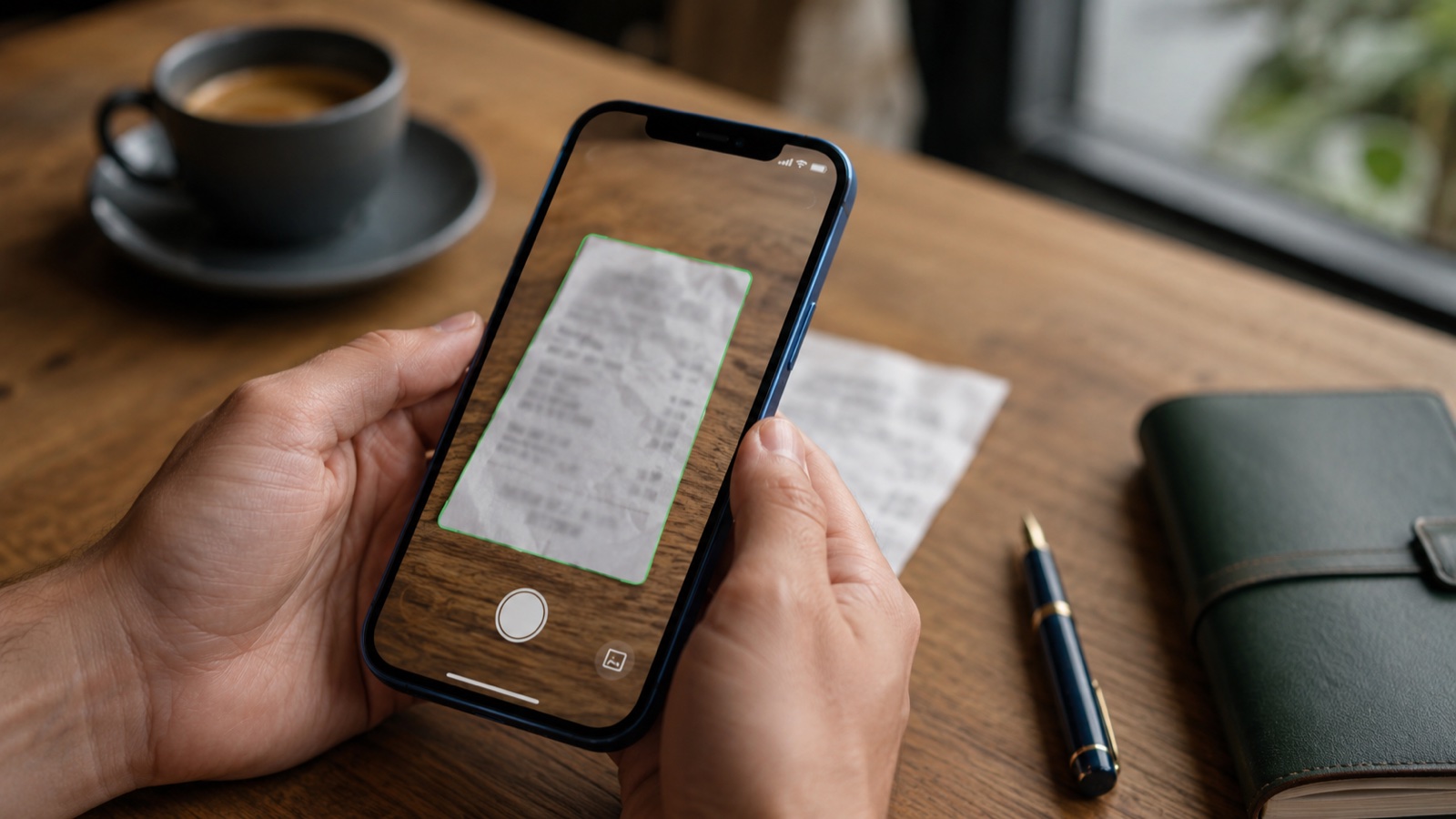
Since early 2025 I have been using my iPhone as my receipt system. Concretely: I photograph every receipt within 60 seconds, the original lands in the bin after a short retention period, the booking happens over coffee. This post describes the method precisely, with the legal basis, the most common mistakes, and an honest list of what the method cannot do.
All numbers and legal references are linked directly. For self-issued receipts ("Eigenbelege") above 150 Euro or for grey areas, the rule is: check with a tax advisor before submitting. This text does not replace professional advice.
The 30-day test: three methods compared
I ran three methods in parallel for 30 days. The same types of everyday receipts: groceries, fuel slips, office supplies, a hotel stay. Three separate piles, evaluated at the end.
Method 1 was "bag under the table". Method 2 was the iOS Photos app with an album structure. Method 3 was an app with receipt recognition (in my case wimm.cash, because I build the product myself). I genuinely tried not to sabotage any of them.
Method 1: paper in a bag
About 5 seconds per receipt, just into the bag. At the end of the month I sit for a good 90 minutes and sort everything in Excel. Another 2 hours come at tax-return time, because I can no longer read the hotel receipts. I have to request four receipts again from the merchant, three of them cannot be reconstructed.
Method 2: iOS Photos app, manually tagged
Around 20 seconds per receipt: take photo, assign album, add a tag. End of month: 45 minutes to transfer everything into a spreadsheet. Then another hour searching at tax-return time. The receipts at least remain readable, that is the clear advantage. The catch: you type the date and merchant yourself, and that produces errors. In my case the error rate was around 4 percent. Late one evening at a petrol station I noticed I had entered the wrong month three times in a row.
Method 3: app with receipt recognition
Around 15 seconds per receipt: take photo, briefly wait for the recognition on the server, quickly verify. Categorisation happens automatically, even for merchants the app sees for the first time. A language model takes care of that in the background. If the app repeatedly sorts a category differently from what I want, I create a smart rule (called "Smart Rule" in the app) and correct it once and for all. At the end of the month a five-minute spot check is enough. For the tax return I export as PDF and submit.
Comparison after 30 days
| Criterion | Paper in bag | iOS Photos app | App with recognition |
|---|---|---|---|
| Capture at the table | yes | yes | yes |
| Date and merchant automatic | no | no | yes |
| Categorisation | no | partial | yes |
| Full-text search later | no | partial | yes |
| Retention-safe | no | yes | yes |
| Effort at month-end | high | medium | low |
| Effort at tax return | high | medium | low |
| Loss or fading risk | high | low | low |
The app with receipt recognition was clearly better than the manual photo method in five of eight categories, equal in two, and slightly worse in one (effort per receipt). The extra effort per receipt amortises at the end of the month by a factor of nine.
What the receipt routine at the table actually looks like
The method is only robust if the photo is usable on the first try. Otherwise you photograph twice, and the effort secretly creeps up. Three points make the difference.
Light
Restaurant receipts become unreadable in dim light. The iPhone display still looks brilliant because the auto white balance fools you. Hold the receipt deliberately towards the brightest light source in the room, ideally daylight through a window. For dinners with dim lighting it helps to briefly aim the flashlight at the receipt from the side, then take the photo.
Angle
Photograph straight from above, not at an angle. Tilted receipts introduce perspective distortion, which makes recognition less accurate. If you have to hold the receipt down, grip it at two opposite edges, not in the middle. Then it lies flat.
Distance and framing
The receipt should almost fill the frame, but not entirely. If it reaches the edge, recognition will cut off the date or the total. Rule of thumb: about 80 percent of the frame area. For very long discount-supermarket or IKEA receipts, more distance helps, so the whole receipt fits in a single photo. The most important fields are date, merchant, and total amount; those must be legible. If necessary, fold the receipt in half and press it flat so beginning and end stay visible.
My most common beginner mistake: receipt in my lap, look down, take the photo. In three out of ten attempts the shadow of my head was in the photo. The fix was banal: receipt on the table, me not between light and receipt, done.
What the German tax office really accepts in 2026
This part gets dry. Read it once in full, then never again.
What private individuals with work-related expenses need is simpler than what you might read in guides for the self-employed. The GoBD (BMF letter from 28 November 2019) strictly regulate only entrepreneurs and those required to keep books. For employees, since the 2017 reform, the much more lenient duty to keep receipts available ("Belegvorhaltepflicht") applies: you must keep the receipts available, the evidence must be "suitable". A sharp, complete photo is enough for that in practice.
Three points are still worth following, because they raise your chance of proof if the tax office follows up:
- Visually identical. The photo shows the receipt completely and in legible quality. Smooth out wrinkles beforehand. Thumb out of the picture.
- Stored in an unalterable way. You must not be able to modify the receipt after the scan. An app with a change log or a PDF file with a checksum makes this traceable.
- Available during the retention period. A cloud account that could be deleted by the provider tomorrow is not a reliable piece of evidence. At minimum a local copy on your own device, plus an additional backup in the cloud.
If you are self-employed or run a business
Then the full GoBD requirements apply. Three core points: unalterability of receipts over the ten-year retention period (Section 147 General Tax Code (AO)), completeness of documentation, plus a written process documentation that describes your workflow (devices, software, responsibilities). That can be a single A4 sheet.
There are several technical paths to unalterability. A certified document management system is one. Another path, often cheaper and sufficient for solo self-employed people, is an app that archives each receipt as a signed PDF/A. PDF/A is the format for long-term archiving, a qualified electronic signature (QES) under eIDAS makes the file technically tamper-proof. The combination of a QES-signed PDF/A plus your own process documentation covers the GoBD requirements without you having to license a DMS.
What does NOT work: a loose PDF on Google Drive or Dropbox without a proof of unalterability. These services guarantee neither the tamper-proofness of the file nor its 10-year availability.
If you are a retiree
Retirees in Germany also file a tax return every year, as soon as the total income exceeds the basic tax-free allowance ("Grundfreibetrag"; in 2026: 12,348 Euro for single filers, 24,696 Euro for joint filers). The flat-rate expenses allowance for pension income is significantly lower than for employees, namely 102 Euro per year (Section 9a sentence 1 number 3 EStG). This allowance is reached quickly. Anyone who wants to recover more than that has to start elsewhere, especially with "extraordinary burdens" ("außergewöhnliche Belastungen") and household-related expenses. The following list gathers the typical items where keeping receipts really pays off.
Healthcare costs as extraordinary burdens (Section 33 EStG). Prescription medication, doctor and dentist invoices with own contribution, glasses, hearing aid, dental work, alternative practitioners, medically necessary travel, care aids. Important: for recognition, Section 64 EStDV explicitly requires a medical prescription. That also applies to non-prescription medication (the so-called "green prescription" serves that purpose). A pure cash-register receipt from the pharmacy without a prescription is usually not accepted.
These costs are deductible to the extent they exceed your reasonable own contribution ("zumutbare Eigenbelastung"). It lies between one and seven percent of your total income, depending on income level, marital status, and number of children. Keep the receipt even when the individual amount seems small, because many small amounts add up over the year.
Care costs for yourself or a relative in need of care are also claimable as extraordinary burdens, provided there is a recognised care level ("Pflegegrad" 1 to 5) or a medical certificate. Benefits from the care insurance fund are offset. Invoices from the care service, outpatient services, care home, or for aids should be kept carefully. Anyone who cares for a relative without payment can additionally claim the care lump sum ("Pflege-Pauschbetrag", Section 33b paragraph 6 EStG, 600 to 1,800 Euro per year depending on care level).
Household-related services (Section 35a EStG). Cleaner, gardening, chimney sweep, window cleaner, outpatient care in your own household: 20 percent of these labour costs come directly off your tax liability, up to a limit of 4,000 Euro per year (so up to 20,000 Euro in labour costs). Two important conditions: there must be a proper invoice, and payment must go via bank transfer. Cash does not count, also not "settled in passing". Material and consumables are not deductible, only the pure labour cost. The invoice therefore has to itemise that cleanly.
Tradesmen services (also Section 35a EStG). Heating maintenance, electrician, painter, plumbing, repairs within your own living space: 20 percent of the labour costs straight off the tax, up to 1,200 Euro per year (so up to 6,000 Euro in labour costs). Same rules as above: invoice with separately stated labour, bank transfer instead of cash. New-build measures are excluded; only maintenance and modernisation count.
Donations to charitable associations and organisations. Up to 300 Euro the bank statement or the booking confirmation suffices as proof (Section 50 paragraph 4 EStDV), above that you need a donation receipt from the recipient.
The photo routine works for retirees just as well as for employees. Pharmacy slips, doctor invoices, and tradesmen invoices arrive on paper anyway; one photo replaces the file folder. Important for tradesmen and care invoices: keep the original invoice for at least four years (Section 14b VAT Act (UStG) requires two years, but the tax office asks later as well); the photo alone is not enough in practice for larger amounts.
Retention periods 2026
| Who you are | Period | Source |
|---|---|---|
| Private person without work-expenses receipt set | no statutory period | not regulated by law |
| Private person with work-expenses on tax return | until assessment becomes final (around 4 years) | best practice |
| Retiree with extraordinary burdens or Section 35a items | until assessment becomes final (around 4 years) | best practice |
| Self-employed or business | 10 years | Section 147 AO |
| Recipient of a tradesman service | 2 years | Section 14b UStG |
Self-issued receipts ("Eigenbelege")
Without an original receipt (tips, parking meter without slip, loss), you may create a self-issued receipt. There is no statutory maximum. In practice, German tax offices accept self-issued receipts up to about 150 Euro per item without much discussion. Above that, the case officer looks more critically. An original receipt, a merchant invoice copy, or a matching bank statement then significantly increase the recognition probability.
What is frequently confused: the 250-Euro limit from VAT law is a different thing. It refers to the small-amount invoice under Section 33 VAT Implementing Regulation (UStDV) (in force since 2017): a simplified invoice with reduced mandatory fields, relevant for input VAT deduction by entrepreneurs. It has nothing to do with self-issued receipts by private individuals. If someone tells you "up to 250 Euro you do not need an original receipt", they are mixing up the two.
A self-issued receipt needs: date of the expense, recipient or occasion, amount in Euro, your own signature, a short reason why no original is available. Write that on a notepad or block and photograph it like any other receipt. The app reads the fields automatically. Typical use cases: tip in a restaurant beyond the invoice, parking meter abroad with a booking error, coin laundry in a hotel. Self-issued receipts are not "cheating"; they are a legally provided route. But the tax office checks them more closely than normal receipts, so keep the frequency moderate.
The five most common mistakes and the matching fix
Mistake 1: Scanning the receipt only at home
Sounds harmless. It is the most expensive mistake. In my case the "survival rate" on the way home was about 70 percent. The rest were lost before I reached the desk.
Fix: Photograph at the moment of paying, still at the table. 10 seconds. No "later".
Mistake 2: Crumpled or faded receipts
Thermal paper holds up poorly. Restaurant receipts are often unreadable after six to twelve months. A faded receipt is digitally worthless if the numbers are no longer clear.
Before the iPhone, I had a photocopy trick for this: receipt into the copier, original clipped to the copy with a paperclip. The copy on normal paper held for decades, the thermal original was allowed to fade and was still attached in case of dispute. With the photo routine this habit has become unnecessary.
Fix: Smooth it out, good lighting, place the receipt on white paper. If the date is unreadable, the app will actively ask and you enter it manually. Quick cross-check on the amount, especially for crumpled receipts. Keep receipts above 100 Euro anyway, until the assessment becomes final.
Mistake 3: Never reviewing the automatic categorisation
Captured and automatically categorised, but never checked. For most merchants the app gets it right. For ambiguous receipts it falls short: Amazon could be office supplies just as easily as a birthday gift; a local merchant the language model does not know can end up anywhere. Anyone who never looks carries the wrong category all the way to the tax return.
An elegant special case are mixed-purchase receipts: a DIY-store slip with tools for work and paint for home on one invoice, or a business invoice that accidentally ended up on the private card. The app can split the receipt into individual items, each part gets its own category, and you mark only the business part for tax.
Fix: Once a week, scroll through the recent receipts, correct special cases or split them. For recurring patterns set up a smart rule ("all receipts from merchant X go into category Y"). On the next similar receipt, the app categorises correctly without asking.
Mistake 4: Taking the flat-rate allowance automatically
Many people take the 1,230 Euro flat allowance without adding up their receipts. Anyone who commutes, attends training, or buys work-related items quickly goes over it.
Fix: Once in the middle of the year, sum up all work-related expenses in the app. At 800 Euro it pays off to track deliberately through December for the refund. At 200 Euro the flat-rate is your maximum, then you take it and keep using the app for general oversight (household ledger, subscriptions, spending trends). Tax is only one of several views on your data.
Mistake 5: Throwing away originals before the assessment is final
The app has the receipt. The tax office requests the original. This is rare for small amounts under 100 Euro, more common for larger or unusual items: first-time training expenses, large travel costs, a new work-expense item without a previous-year comparison. A nationwide audit rate is not public. Tax guides agree qualitatively that the rate for "normal" work expenses stays low.
Fix: Keep originals until the assessment becomes final, around 4 years. After that you can shred them.
FAQ
Are photo receipts really legally secure?
For private individuals with work-related expenses and for retirees with extraordinary burdens or Section 35a items, yes. Since the 2017 reform, the duty to keep receipts available ("Belegvorhaltepflicht") applies: you must keep the receipts available, a sharp, complete photo serves as proof. For the self-employed and tradespeople the bar is higher (GoBD); you need versioning and process documentation.
Do I have to keep the original paper?
For private individuals, the scan is enough if it is complete and legible. Recommendation: keep important receipts above 100 Euro until the assessment becomes final, around 4 years. Restaurant receipts under 20 Euro you can throw away immediately. For tradesmen and care invoices with larger amounts, keep the original invoice for at least four years, even if the photo exists separately.
What about electronic invoices (PDF, email)?
These you must archive in the original format. A photo of a printed PDF is not sufficient. Save the PDF directly into your receipt system.
How much in work-related expenses is worth tracking at all?
Up to 1,230 Euro per year, the flat-rate kicks in. Beyond that, every additional Euro brings tax savings. At a 30 percent marginal rate, that is 30 cents per Euro of work-related expense. Commuters often go over the flat-rate already without deliberately tracking.
Is keeping receipts also worth it for retirees?
Yes, especially. The flat-rate expenses allowance for pension income is only 102 Euro per year and is reached quickly. The larger leverage comes from extraordinary burdens (doctor, glasses, dental work, care) and household-related expenses (cleaning, tradesmen, chimney sweep). For tradesmen and household services, 20 percent of the labour costs are deductible directly from your tax liability, up to 1,200 and 4,000 Euro per year. Important: invoice instead of cash, so always pay by transfer and keep the invoice with the labour cost separately stated.
What if the receipt fades before I scan it?
Then it is gone. Reconstruction from the merchant is rarely possible for small amounts. Hence the rule: scan on the day of the expense, not later.
Are self-issued receipts allowed up to 150 or 250 Euro?
The two numbers mean different things. 150 Euro is an administrative-practice threshold for self-issued receipts: up to that amount, tax offices usually accept them without trouble. It is not a statutory limit. 250 Euro comes from VAT law: the small-amount invoice under Section 33 UStDV is a simplified invoice for entrepreneurs with input-VAT deduction, not a limit for self-issued receipts. Private individuals with work-related expenses should orient themselves on the 150-Euro practical threshold, and for larger amounts keep an original receipt or additional proof such as a bank statement.
What if the tax office requests the original and I have already thrown it away?
With a complete and legible scan, many case officers accept it. If not: politely refer to the duty to keep receipts available and to the existing digital scan, in writing. If that does not help, an appeal (4-week deadline) is the next step.
What about receipts from abroad?
The German tax office accepts EU receipts under the same conditions. Important: the currency must be identifiable and the amount convertible to Euro. For non-EU receipts, the tax office sometimes asks for a translation of the central items (date, amount, merchant). A handwritten note on the receipt is usually enough, as long as the original is unchanged.
What about handwritten receipt books from a bakery or kiosk?
Handwritten receipts are formally allowed if they contain date, merchant, amount, and ideally tax rate. If the baker only issues a half-legible slip, photograph it and add a brief note in the app ("breakfast, business meeting with Müller"). That makes the receipt defendable in case of doubt.
Does the app need internet?
Yes. The receipt recognition runs on a server; the photo is uploaded and processing happens right after. So you cannot capture in a dead spot. Anyone who needs to work reliably without internet needs an app that runs text recognition directly on the phone. That tends to be less accurate for crumpled or poor receipts.
What you can do now
If you want to test the method for 30 days, you proceed like this:
-
Today. Download a receipt-recognition app to your iPhone. With wimm.cash, receipt recognition is part of the free version with up to 30 recognitions per month, which is enough for the 30-day test without a subscription. There are alternatives, which we sort against our own product on the FAQ page.
-
The next 30 days. Photograph every receipt at the moment of paying. At the table. No "later". If you forget once, that is okay. Otherwise keep it as routine.
-
After 30 days. Export receipts as PDF or CSV. If work-related expenses are clearly above the flat-rate, keep going through December; that brings a refund. As a retiree with doctor, pharmacy, or tradesmen invoices, keep going as well, because these items are deductible elsewhere in the tax return. Below all thresholds: tax is irrelevant, but household ledger, subscription overview, and spending history are the actual value of the app anyway.
-
If you are unsure. Read the GoBD in the original only if you are self-employed or run a business. For employees with work-related expenses and retirees with extraordinary burdens or Section 35a items, the duty-to-keep-receipts logic in this post is enough. Specific questions about your personal tax situation I cannot answer; for that you have to ask a tax advisor yourself. For feedback on the post or corrections, please reach out via the About page.
Receipts without a bag
wimm.cash does exactly what this post describes. Photograph a receipt. The app recognises date, merchant, and amount, and assigns a category automatically through a language model. Special cases you handle with smart rules. Receipts for the tax return are available as PDF or CSV export.
What the app cannot do yet as of May 2026: DATEV export. It is on the list of upcoming features in the help centre. What the app cannot do, and no other app can do either: make a receipt readable that has faded on thermal paper. Information that has disappeared is gone.